
Your back hurts before the match even starts. Meanwhile, your wrist clicks when you reach for your coffee. By round three, on top of that, your eyes feel like sandpaper. If any of that sounds familiar, you already know why you’re here — you need a yoga gamers posture fix that actually works between matches, not a vague suggestion to “sit up straight.” After all, after 12 years teaching yoga and researching movement science, I can tell you that gamers are, in fact, some of the most physically neglected athletes I work with. Below, therefore, you’ll find a real gamer yoga routine, targeted relief for yoga wrist pain gaming causes, and a desk posture yoga plan you can run in the five minutes before your next queue pops.
Table of Contents
ToggleYoga for Osteoporosis Safe Poses and What to Avoid
TL;DR: Long gaming sessions load your wrists, neck and eyes in ways that build injury over months, not minutes. As a result, a short, targeted yoga gamers posture fix done between matches and after sessions undoes most of that damage in under fifteen minutes a day. Combine it with real breaks, and, in turn, you protect your K/D ratio and your body at the same time.
Key Takeaways
| Problem | Cause | Yoga Fix | Time Needed |
|---|---|---|---|
| Rounded shoulders, gamer neck | Forward head posture, low monitor height | Desk posture yoga: chest openers, thoracic twists | 5 minutes |
| Wrist and thumb pain | Repetitive mouse clicks, bent wrist angle | Wrist flexor stretches, prayer stretch, tendon glides | 3 minutes |
| Digital eye strain | Reduced blink rate, fixed near-focus | Eye yoga plus the 20-20-20 rule | 1 minute per break |
| Lower back stiffness | Static seated hip flexion for hours | Seated spinal twist, hip flexor stretch | 4 minutes |
| Poor circulation, fatigue | No movement for 60+ minutes at a stretch | Standing forward fold, ankle pumps | 2 minutes |
Why Gamers Need a Real Posture Fix (Not Just a Better Chair)
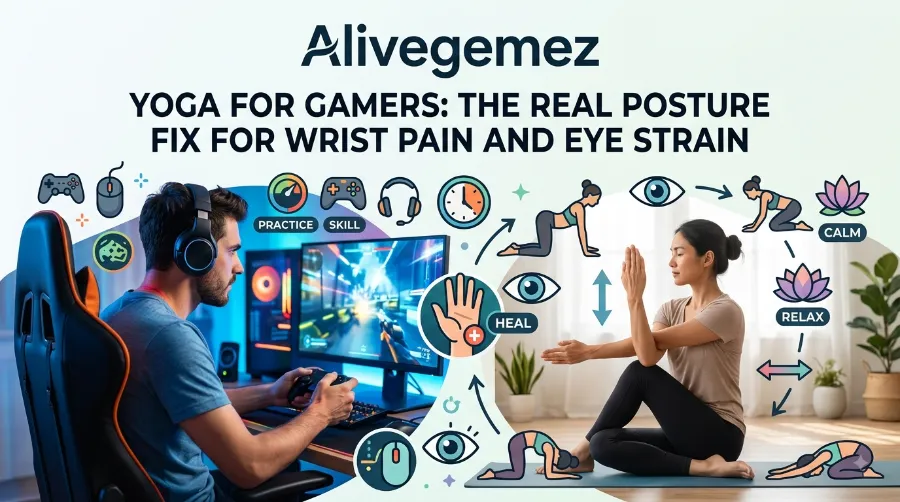
Gamers put their bodies under a strange, specific kind of stress. Unlike an athlete on the field, however, it is not an explosive load. Instead, it is a slow, quiet, repetitive load that builds for months before it eventually announces itself as pain. Because of this, a yoga gamers posture fix works better than a new chair alone after all, a chair only supports your position, while movement actually corrects it.
What the Screen Time Data Actually Shows
The numbers, in fact, back this up more than most gamers expect. According to the American Optometric Association, the average gamer spends over eight hours a day on screens, with roughly half of that spent in active gameplay. In that same reporting, similarly, a majority of surveyed gamers had already been diagnosed with an eye-related issue. Clearly, then, this is not a minor annoyance, it’s a pattern worth addressing early. nihAmerican Optometric Association
Why Your Wrists Take the Hardest Hit
The wrist, likewise, tells a similar story. A 2026 clinical guide on gaming-related carpal tunnel explains that tendons in the wrist are activated thousands of times per gaming session, and the surrounding tissue can become inflamed under sustained repetitive load, narrowing the carpal tunnel and increasing pressure on the median nerve. High-APM titles, moreover, make this worse still. For instance, click-intensive games like MMORPGs and RTS titles can generate 300 to 600 clicks per minute during peak gameplay, creating continuous mechanical load on the finger flexors through a long session. JhwcrAcquaintpublications
Neck, Back and the Bigger Picture
Neck and back pain, in addition, follow gamers into competitive play too. In fact, research on collegiate esports athletes found that 41% suffered from back and neck pain, and 36% reported wrist-related symptoms tied to prolonged gaming posture. Meanwhile, a separate study tracking students on electronic devices for roughly nine hours a day found that 91.7% experienced upper limb discomfort, with 45% naming hand or wrist pain as their primary complaint. Made to AidAmerican Optometric Association
Yoga for Kids 10 Fun Animal Poses for Ages 5 to 12
None of this, to be clear, means you need to quit gaming. Rather, it simply means your body needs the same recovery habits an athlete builds into training. For more detail, if you want a deeper technical breakdown of why gaming posture breaks down over long sessions, BackEmbrace’s guide on gaming posture covers the mechanics in more depth, and Apol’s piece on posture and spine health for gamers is also worth a read if you’re considering your seating setup.
The Gamer Yoga Routine: A 15-Minute Reset You Can Do Between Matches
This gamer yoga routine, overall, is built for real gaming schedules. No mat is required, and no getting changed either, just your chair and a few feet of open floor. Simply run through it during a loading screen, a queue timer, or a match break.
Yoga for Seniors: 7 Balance Poses to Prevent Falls
- Seated cat-cow (60 seconds). Sit tall, hands on your knees. First, inhale, arch your back and lift your chest. Then exhale, round your spine and drop your chin. Overall, this wakes up a spine that has been locked in one position.
- Thoracic twist (60 seconds per side). Cross your arms over your chest, rotate your upper body to the right, hold for five breaths, then switch sides. This, specifically, directly counters the forward, rounded posture of long sessions.
- Doorway or wall chest opener (60 seconds). Place your forearm on a wall or doorframe, then gently rotate away from it. In turn, this opens the chest muscles that shorten from hours of reaching toward a keyboard.
- Wrist and finger stretch sequence (3 minutes). Covered in full detail below, since this is where most yoga wrist pain gaming relief actually comes from.
- Standing forward fold (60 seconds). Stand, soften your knees, and hang your upper body forward. As a result, this decompresses the lower spine after sitting.
- Eye yoga break (60 seconds). Covered further down, and best paired with the 20-20-20 rule you’re probably already ignoring.
- Yoga for
Gamers Fix Posture, Wrist Pain and Eye Strain
Try running this gamer yoga routine, ideally, once every 60 to 90 minutes of play, and once again at the end of your session. After all, consistency matters more than duration here, since five honest minutes beats one long stretch you do once a week.
Yoga for Wrist Pain When Gaming: 6 Moves That Actually Help
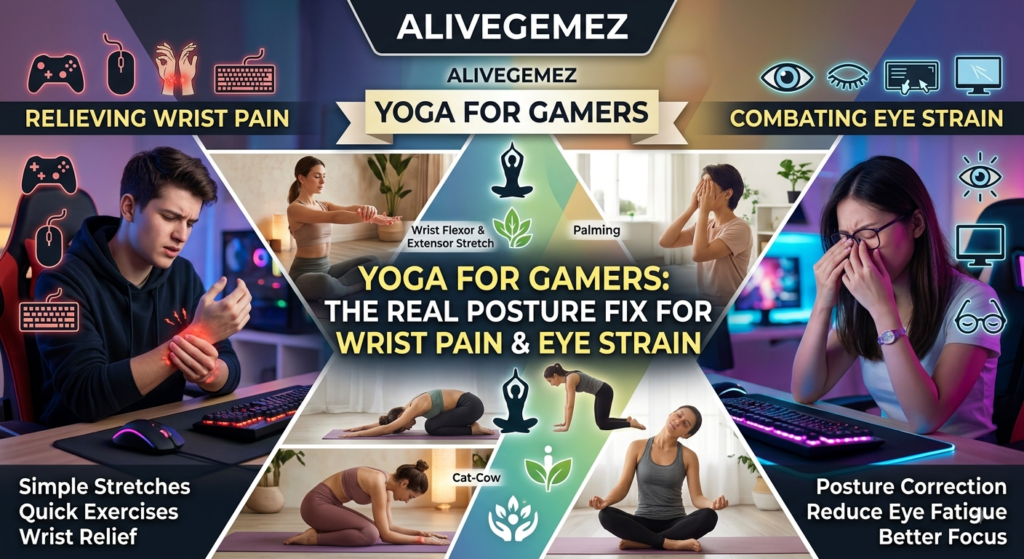
Yoga wrist pain gaming relief works, essentially, because it targets the same tissue that gaming overloads: the tendons, the forearm muscles, and the nerve pathway running through your wrist. A 2026 report on carpal tunnel in gamers notes that mouse-based play typically involves sustained forearm pronation, which tightens the pronator teres muscle and raises pressure inside the carpal tunnel. These moves, therefore, counter that exact pattern. Acquaintpublications
The Six-Move Wrist Sequence
- Prayer stretch: Press palms together at chest height, then slowly lower your hands toward your waist while keeping palms touching. Hold 20 seconds.
- Reverse prayer stretch: Same position, but backs of the hands together, fingers pointing down. Hold 20 seconds.
- Wrist flexor stretch: Extend one arm, palm up, and gently pull fingers back with the other hand. Hold 20 seconds per side.
- Wrist extensor stretch: Same arm position, palm down, then gently press fingers toward the floor. Hold 20 seconds per side.
- Tendon glides: Straighten fingers, curl into a hook fist, then a full fist, then straighten again. Repeat 10 times.
- Thumb circles: Slowly circle each thumb 10 times in each direction to relieve gamer’s thumb, the tendon inflammation that overuse injury specialists describe as tenosynovitis of the first compartment of the wrist, caused by repetitive use. Carpal Tunnel Guide
Why This Matters More Than It Sounds
Consider, for example, a real case: a 2025 multi-city study on mobile gamers found carpal tunnel symptom prevalence of 47.5% among gamers compared to 17.9% among non-gamers, giving gamers more than four times the odds. That gap, essentially, is exactly what daily wrist mobility work is designed to close. If joint pain in the hands and wrists is already a recurring issue for you, meanwhile, our guide on yoga for arthritis and joint pain relief covers gentler variations of these same stretches for sensitive joints. Carpal Tunnel Guide
For a physical-therapy-style breakdown of wrist-specific gaming injuries, additionally, Posture Works’ guide to posture exercises for gamers is a solid external resource alongside this routine.
Desk Posture Yoga: Fixing Rounded Shoulders and Gamer Neck
Desk posture yoga, notably, is not just for office workers. Similarly, gamers sit in the same forward-hunched position, often for longer stretches, and often with worse posture because gaming chairs encourage leaning in rather than sitting back.
The Setup Check
Before any stretch works, first, your setup needs to stop fighting you. Specifically, your monitor top should sit at eye level. Additionally, your elbows should rest near a 90-degree angle, and, at the same time, your feet should stay flat on the floor rather than tucked under the chair. Overall, this single change removes a large share of the strain that desk posture yoga is trying to undo.
The Three-Move Neck and Shoulder Reset
- Chin tucks — gently draw your chin straight back, like making a double chin, hold 5 seconds, repeat 10 times. This, directly, counters forward head posture from staring at a screen.
- Shoulder blade squeezes — pull your shoulder blades together and down, hold 5 seconds, repeat 10 times.
- Ear-to-shoulder stretch — tilt your head toward one shoulder, hold 20 seconds, then switch sides.
This, in fact, overlaps closely with principles taught in our chair yoga for seniors at home guide, since the biomechanics of prolonged sitting stay the same whether you’re 28 and gaming or 68 and reading. If you’re introducing a parent or older family member to movement, for instance, our chair yoga poses for limited mobility guide is a gentle place to start, and our yoga beginners over 50 plan builds a full weekly structure around it.
Eye Strain Yoga: Pairing the 20-20-20 Rule With Eye Exercises
Eye strain, unfortunately, rarely gets the same attention as wrist pain, but the numbers suggest it should. Digital eye strain, formally called computer vision syndrome, affects up to 66% of device users, causing symptoms from dry eyes and blurred vision to tension headaches. Gamers, specifically, tend to fare worse than average users because gaming sessions run long while breaks run short. Vision Center
How Bad the Breaks Problem Really Is
One AOA report found that gamers can play a single game for up to three hours in one sitting, and most take less than a 15-minute break, if they take one at all. Part of the problem, importantly, is mechanical, not just a matter of screen time. Specifically, concentrated screen use causes blink rates to drop from a normal 15 to 20 per minute down to around 5, leading to insufficient tear film and dry, irritated eyes. WestbrowardeyecareVision Center
The 20-20-20 Rule, Done Right
Every 20 minutes, simply look at something roughly 20 feet away for 20 seconds. It’s simple, and, importantly, it works because it interrupts the strain cycle with a short break that resets your focusing muscles and prompts a full blink, re-lubricating the eye surface. That said, some researchers have questioned how strong the clinical evidence is behind the exact numbers, though, even so, the underlying habit of breaking near-focus regularly still holds up as sound practice. Modern Optometry
A 60-Second Eye Yoga Sequence
- Palming: rub palms together, then cup them gently over closed eyes for 20 seconds.
- Figure-eight tracing: trace a slow figure-eight with your eyes, five times each direction.
- Focus shifting: hold a thumb close to your face, focus on it, then shift focus to something across the room, repeat 10 times.
- Deliberate blinking: blink slowly and fully 15 times to restore tear film.
Pair this, ideally, with the calming effect of the 4-7-8 breathing technique, which is genuinely useful between intense matches. First, inhale for four counts, then hold for seven, and finally exhale for eight. This, as a result, lowers heart rate fast, which matters after a stressful ranked loss, while also giving your eyes a natural break at the same time.
Building a Sustainable Setup: Beyond the Mat
A yoga gamers posture fix, ultimately, works best alongside setup changes, not instead of them. In other words, small adjustments compound with the routine above.
- Keep your wrists straight, not bent up or down, while using your mouse and keyboard.
- Position your chair so your hips sit slightly above your knees.
- Use a timer app to force a real break every hour, not just during loading screens.
- Keep a water bottle at your desk, since dehydration measurably worsens both eye strain and general fatigue.
- Consider a standing break every 60 to 90 minutes, even just two minutes on your feet.
If balance and coordination ever become a concern as you age into decades of screen habits, meanwhile, our yoga for seniors balance and falls guide previews movement work that keeps paying off well beyond your gaming years. And if you’re a guy just getting into a regular practice for the first time, similarly, our yoga for men beginners plan is built to fit around a busy, screen-heavy schedule like yours.
Gamer Eye Strain and Wrist Pain: What the Data Shows
| Metric | Finding | Source |
|---|---|---|
| Average daily screen time, gamers | Over 8 hours/day, roughly half in active play | American Optometric Association |
| Single-session play length | Up to 3 hours, often with under 15 minutes of breaks | American Optometric Association |
| Carpal tunnel prevalence, gamers vs non-gamers | 47.5% vs 17.9% | 2025 multi-city gamer study |
| Upper limb discomfort, heavy device users | 91.7% among 9-hour daily users | University student study |
| Back and neck pain, collegiate esports athletes | 41% reported symptoms | Esports ergonomics research, 2022 |
| Digital eye strain prevalence, general device users | Up to 66% | 2026 digital eye strain clinical guide |
FAQ
Does yoga actually fix gamer posture, or just relieve symptoms temporarily?
Both, really. Short-term, the stretches relieve muscle tension and nerve pressure right away, while long-term, in contrast, consistent practice rebuilds the muscle balance that poor sitting posture erodes.
How often should I do a gamer yoga routine?
Try a short reset every 60 to 90 minutes during long sessions, then, afterward, a fuller 10 to 15 minute routine once you log off.
Can yoga replace a wrist brace for gaming injuries?
No. If you already have diagnosed carpal tunnel syndrome or persistent numbness, first see a doctor, since yoga supports recovery and prevention but does not replace medical treatment for an existing injury.
Is the 20-20-20 rule actually proven to work?
The evidence is mixed on precise clinical outcomes, though, still, the habit of regularly breaking near-focus and encouraging a full blink is widely recommended by optometrists as sound, low-risk practice.
What’s the single best change a gamer can make this week?
Simply set a recurring break timer. Nearly every issue in this guide, from wrist pain to neck strain to dry eyes, in fact, gets worse specifically because gamers go too long without moving or looking away.
Quick Quiz: How Much Do You Know About Yoga for Gamers?
1. What is the main cause of “gamer’s thumb”?
A. Cold weather
B. Repetitive tendon use from clicking and gripping
C. Poor diet
2. What does the 20-20-20 rule recommend?
A. Look 20 feet away for 20 seconds every 20 minutes
B. Play for 20 minutes, rest for 20 hours
C. Blink 20 times every 20 minutes
3. What is a key benefit of the thoracic twist in a gamer yoga routine?
A. It strengthens your grip
B. It counters rounded, forward-hunched posture
C. It improves eyesight directly
4. What is a recommended monitor position for better desk posture yoga results?
A. Below eye level, tilted up
B. Top of the screen at eye level
C. As close to the face as possible
5. How long can carpal tunnel-related tenosynovitis take to develop from gaming?
A. Instantly, within one session
B. Gradually, from sustained repetitive load over time
C. Only after age 60
Answers: 1-B, 2-A, 3-B, 4-B, 5-B
Conclusion
Gaming, ultimately, does not have to cost you your posture, your wrists, or your eyes. When run consistently between matches and after sessions, in fact, a yoga gamers posture fix undoes most of the quiet damage that hours of sitting and clicking cause. Combine the gamer yoga routine here with a smarter setup and real breaks, and, as a result, you protect both your health and your gameplay for the long run. For more targeted routines, finally, explore RealYogaHub and keep building a practice that fits your actual life, not a generic one.
If you want to learn more about yoga gamers posture fix, check out our detailed guide for practical tips and expert advice.
To get a better understanding of yoga gamers posture fix, our guide breaks down exactly what to expect.
Want to learn more about yoga gamers posture fix? Read our latest blog post.
References
- American Optometric Association, “The Effects of Gaming and Ways to Combat Eye Stress”
- American Optometric Association, “Gaming and Digital Eyestrain”
- Carpal Tunnel Guide, “Carpal Tunnel Syndrome in Gamers: Prevention and Treatment” (2026)
- Foothills Rehab, “Common Video Game Injuries: Gamer’s Thumb, Wrist & Carpal Tunnel Pain”
- Journal of Health, Wellness and Community Research, “Prevalence of Carpal Tunnel Syndrome Among Mobile Gamers” (2025)
- Journal of Community Medicine and Public Health Reports, “The E-Sports Athlete Ergonomics: Carpal Tunnel and Common Injuries Related to Prolonged Gaming” (2022)
- West Broward Eye Care, “Digital Eye Strain: 2026 Guide to Relief & Management”
- The Business Vision Magazine, “20-20-20 Rule — Simple Eye Care to Prevent Digital Eye Strain”